You can now customize how Schedule Us creates your calendar events.
- Prefer meetings to be 30 minutes?
- Want to avoid Friday afternoons?
- Need your meeting details in French?
Set those preferences once, and Schedule Us will follow your instructions whenever it creates a new calendar event.
How it works
- From the user menu, choose “My account”.
- Find “Personal Preferences” and tap “Customize”.
- Describe the preference you want, then tap “Change”.
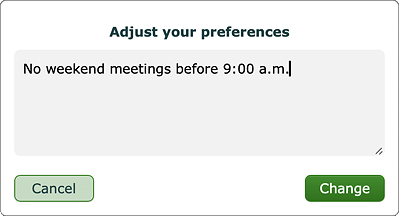
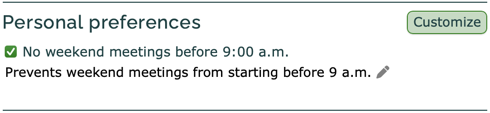
Schedule Us will save your instructions as a reusable preference, with a checkbox you can turn on or off anytime.
Flexible by design
You can always update, disable, or delete your Personal Preferences.
Tap the pencil icon next to a preference to fine-tune it—edit the name, description, or the exact instructions Schedule Us should follow when creating events.
Or simply use “Customize” to tell Schedule Us how you’d like your Personal Preferences to change.
Private by default
Your Personal Preferences are stored securely and encrypted. Only you can access them when you’re signed in.
Your scheduling assistant
How I use Schedule Us is probably different from how you do. We all have our own quirks, and it would be impossible to design one set of preferences that works for everyone.
So I took a different approach. Every user gets as many—and whatever—preferences they can imagine. The result: a scheduling assistant that adapts to how you like to work.
Try it out and see how far you can push it. You might be surprised by what it can do.
Spread the word
Schedule Us is growing. Keep using it, keep sending feedback, and please share it with anyone you think could benefit.